i18n - 使用 Crowdin
Docusaurus 的 i18n 系统是与翻译软件解耦的。
只需要把翻译文件放置在正确的位置,就可以将 Docusaurus 与你所选择的任何工具或 SaaS 集成。
我们编写了 Crowdin 的使用文档作为一个可行的集成示例。
这不代表我们为 Crowdin 背书,也不代表这是翻译 Docusaurus 站点的唯一选择,不过 Facebook 已经成功用它翻译了包括 Jest、Docusaurus 和 ReasonML 在内的诸多文档项目。
如需帮助,请参阅 Crowdin 文档 或联系 Crowdin 支持。
使用 社区驱动的 GitHub discussion 来讨论与 Docusaurus + Crowdin 相关的任何内容。
Crowdin 概述
Crowdin 是一个翻译 SaaS 平台,为开源项目提供免费计划。
我们推荐以下的翻译流程:
- 上传源文件至 Crowdin(未翻译文件)
- 使用 Crowdin 来翻译内容
- 从 Crowdin 下载译文(本地化的翻译文件)
Crowdin 提供 CLI 工具来上传资源和下载译文,帮助你实现翻译流程自动化。
crowdin.yml 配置文件可以方便地把已翻译的文件下载到正确位置(在 i18n/[语言]/.. 目录下)。
你可以阅读 官方文档 来了解高级功能,以及不同的翻译流程。
Crowdin 教程
本文是一份手把手教程,使用 Crowdin 将一个新建的英文版 Docusaurus 站点翻译至简体中文。本文假设你已经完成了 i18n 教程。
最终结果可以在 docusaurus-crowdin-example.netlify.app(仓库)中查看。
准备 Docusaurus 站点
初始化新的 Docusaurus 站点:
npx create-docusaurus@latest website classic
添加简体中文版网站的配置:
export default {
  i18n: {
    defaultLocale: 'en',
    locales: ['en', 'zh],
  },
  themeConfig: {
    navbar: {
      items: [
        // ...
        {
          type: 'localeDropdown',
          position: 'left',
        },
        // ...
      ],
    },
  },
  // ...
};
翻译首页:
import React from 'react';
import Translate from '@docusaurus/Translate';
import Layout from '@theme/Layout';

export default function Home() {
  return (
    <Layout>
      <h1 style={{margin: 20}}>
        <Translate description="The homepage main heading">
          Welcome to my Docusaurus translated site!
        </Translate>
      </h1>
    </Layout>
  );
}
创建 Crowdin 项目
在 Crowdin 上注册账号并创建一个项目。
将英语设为源语言,简体中文设为目标语言。
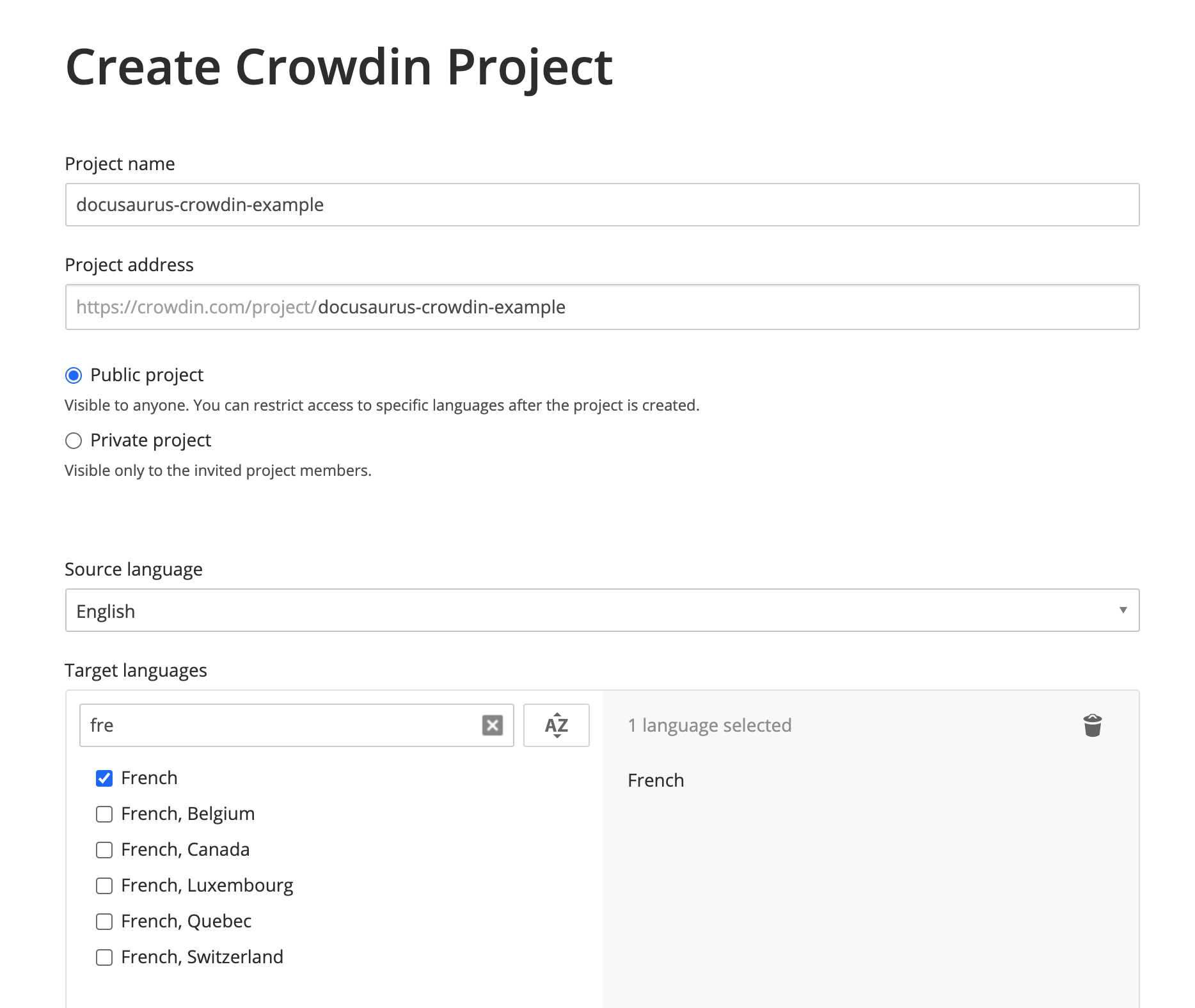
你的项目创建好了,但现在还是空的。我们会在下面几步中上传待翻译的文件。
创建 Crowdin 配置
此配置文件(文档)为 Crowdin CLI 提供映射信息以进行理解:
- 何处寻找要上传的源文件(JSON 及 Markdown)
- 将翻译后的文件下载至何处(在
i18n/[语言]目录下)
在 website 中创建 crowdin.yml:
project_id: '123456'
api_token_env: CROWDIN_PERSONAL_TOKEN
preserve_hierarchy: true
files:
  # JSON 翻译文件
  - source: /i18n/en/**/*
    translation: /i18n/%two_letters_code%/**/%original_file_name%
  # Markdown 文档文件
  - source: /docs/**/*
    translation: /i18n/%two_letters_code%/docusaurus-plugin-content-docs/current/**/%original_file_name%
  # Markdown 博客文件
  - source: /blog/**/*
    translation: /i18n/%two_letters_code%/docusaurus-plugin-content-blog/**/%original_file_name%
Crowdin 有自己的声明源/翻译路径语法:
**/*:子文件夹中的所有内容%two_letters_code%:Crowdin 目标语言的两字代码变体(本例中为zh)**/%original_file_name%:翻译文件将保留原始文件夹/文件结构
Crowdin CLI 的警告信息有时候会晦涩难懂。
我们建议你:
- 每次修改一个条目
- 配置更改后重新上传资源
- 使用
/开头的路径(不能用./) - 避免像
/docs/**/*.(md|mdx)一类的花哨 glob 模式(无法使用)
访问令牌
api_token_env 属性定义了 Crowdin CLI 所读取的环境变量名称。
可以在你的个人资料页面上获取个人访问令牌。
你也可以保留 CROWDIN_PERSONAL_TOKEN 的默认值,然后在你的电脑和 CI 服务器上将此环境变量设置为你的访问令牌。
个人访问令牌有读写你的所有 Crowdin 项目的权限。
你不能提交这个令牌,同时我们推荐你创建专门的 Crowdin 公司账户,而不是使用你的个人账户。
其他配置字段
project_id: can be hardcoded, and is found onhttps://crowdin.com/project/\<MY_PROJECT_NAME>/settings#apipreserve_hierarchy: preserve the folder's hierarchy of your docs on Crowdin UI instead of flattening everything
安装 Crowdin CLI
此教程中的 CLI 版本为 3.5.2,但应该也适用于更新的 3.x 的版本。
在你的 Docusaurus 站点中安装 Crowdin CLI 的 npm 包:
- npm
- Yarn
- pnpm
- Bun
npm install @crowdin/cli@3
yarn add @crowdin/cli@3
pnpm add @crowdin/cli@3
bun add @crowdin/cli@3
添加 crowdin 脚本:
{
  "scripts": {
    // ...
    "write-translations": "docusaurus write-translations",
    "crowdin": "crowdin"
  }
}
测试是否可以运行 Crowdin CLI:
- npm
- Yarn
- pnpm
- Bun
npm run crowdin -- --version
yarn crowdin --version
pnpm run crowdin --version
bun run crowdin --version
Set the CROWDIN_PERSONAL_TOKEN env variable on your computer, to allow the CLI to authenticate with the Crowdin API.
Temporarily, you can hardcode your personal token in crowdin.yml with api_token: 'MY-TOKEN'.
上传源文件
Generate the JSON translation files for the default language in website/i18n/en:
- npm
- Yarn
- pnpm
- Bun
npm run write-translations
yarn write-translations
pnpm run write-translations
bun run write-translations
上传所有 JSON 和 Markdown 翻译文件:
- npm
- Yarn
- pnpm
- Bun
npm run crowdin upload
yarn crowdin upload
pnpm run crowdin upload
bun run crowdin upload
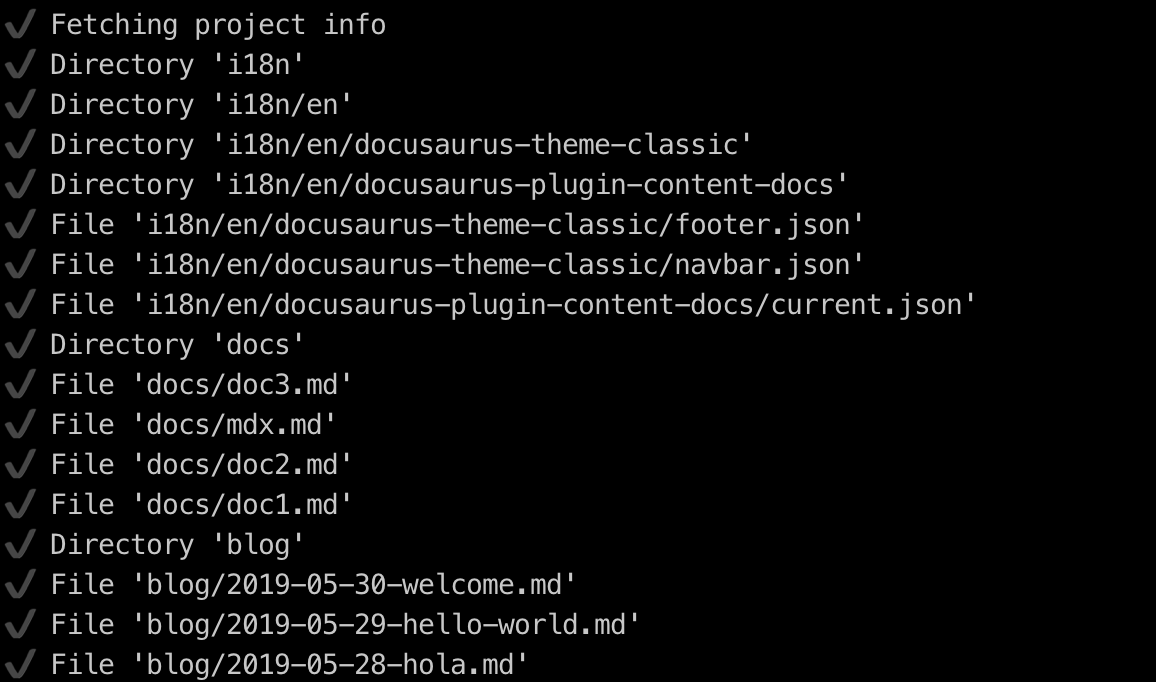
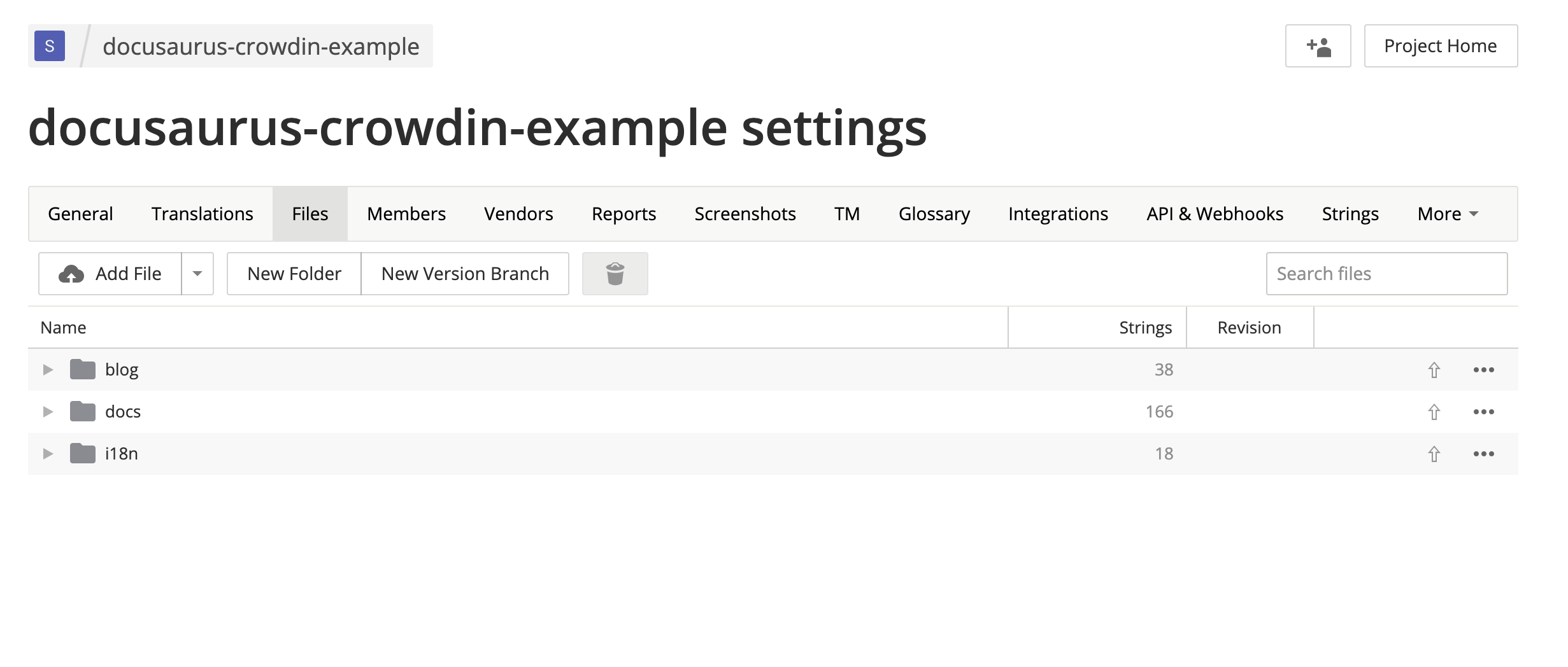
Your source files are now visible on the Crowdin interface: https://crowdin.com/project/\<MY_PROJECT_NAME>/settings#files
翻译源文件
On https://crowdin.com/project/\<MY_PROJECT_NAME>, click on the French target language.
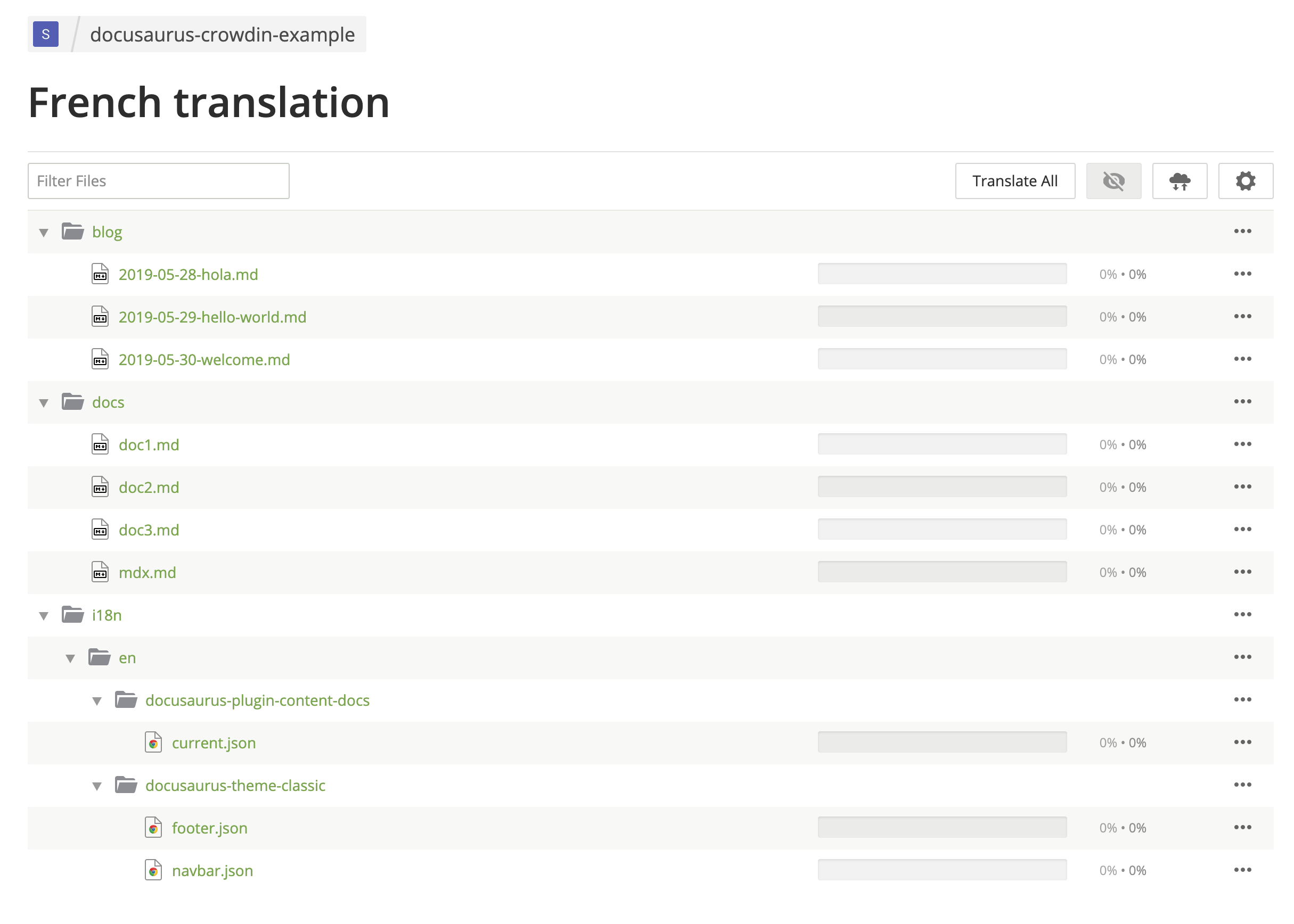
翻译 Markdown 文件。
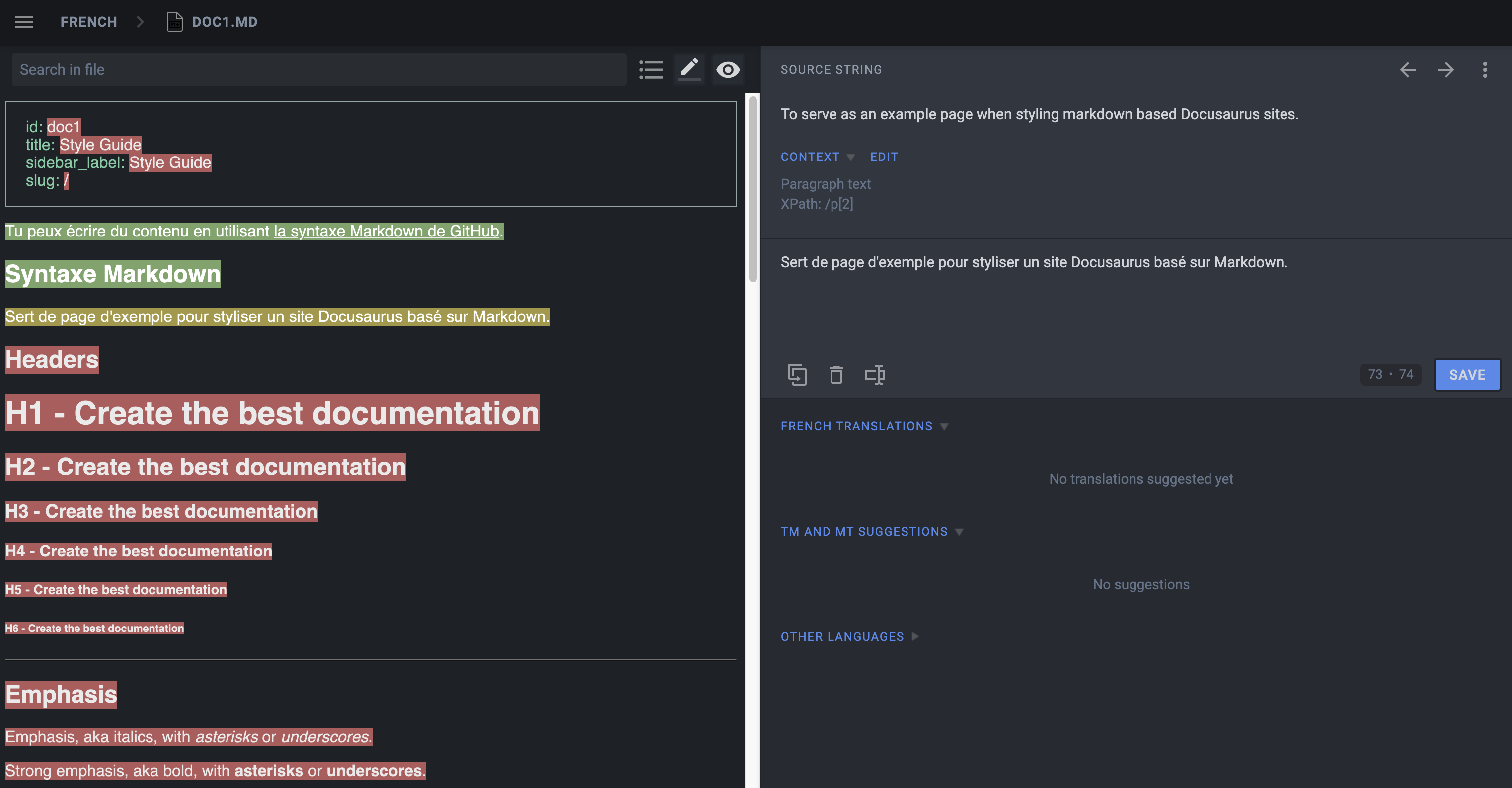
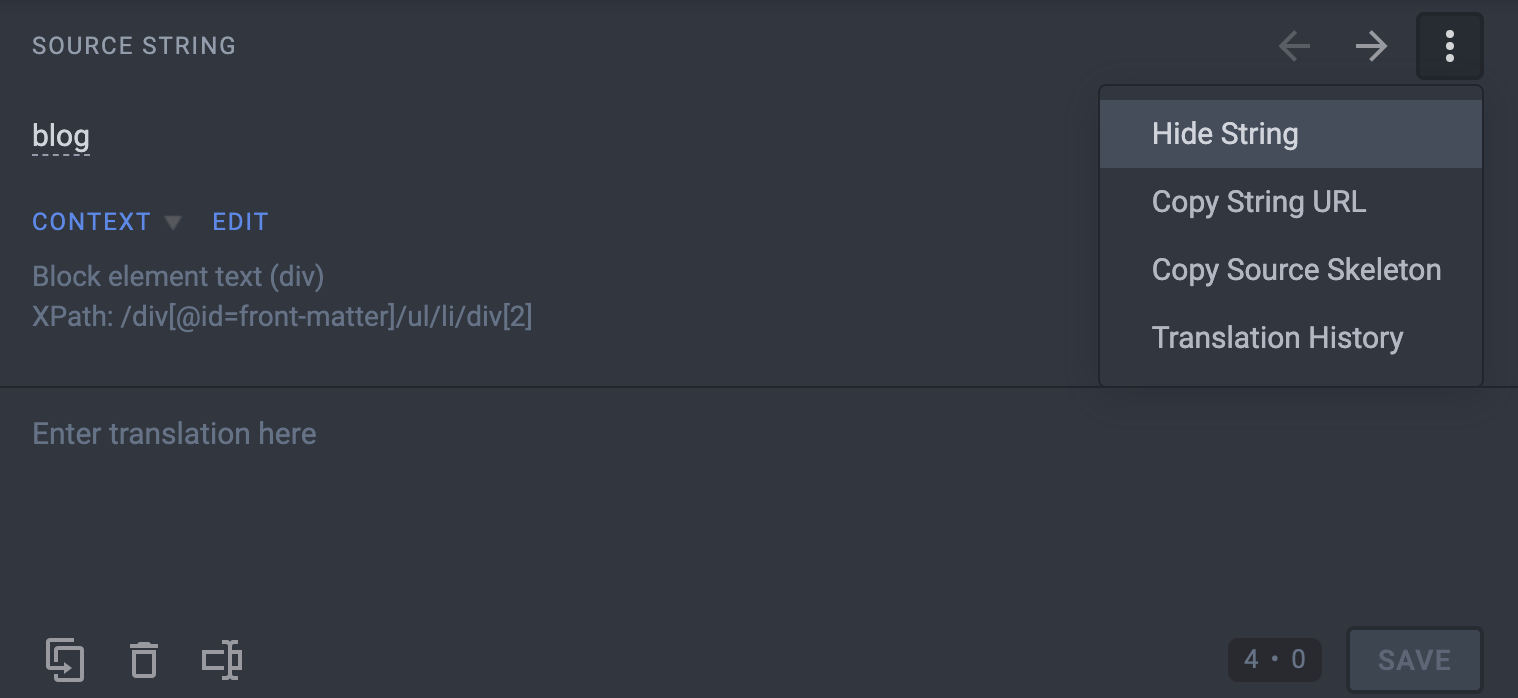
Use Hide String to make sure translators don't translate things that should not be:
- Front matter:
id,slug,tags... - Admonitions:
:::,:::note,:::tip...
翻译 JSON 文件。
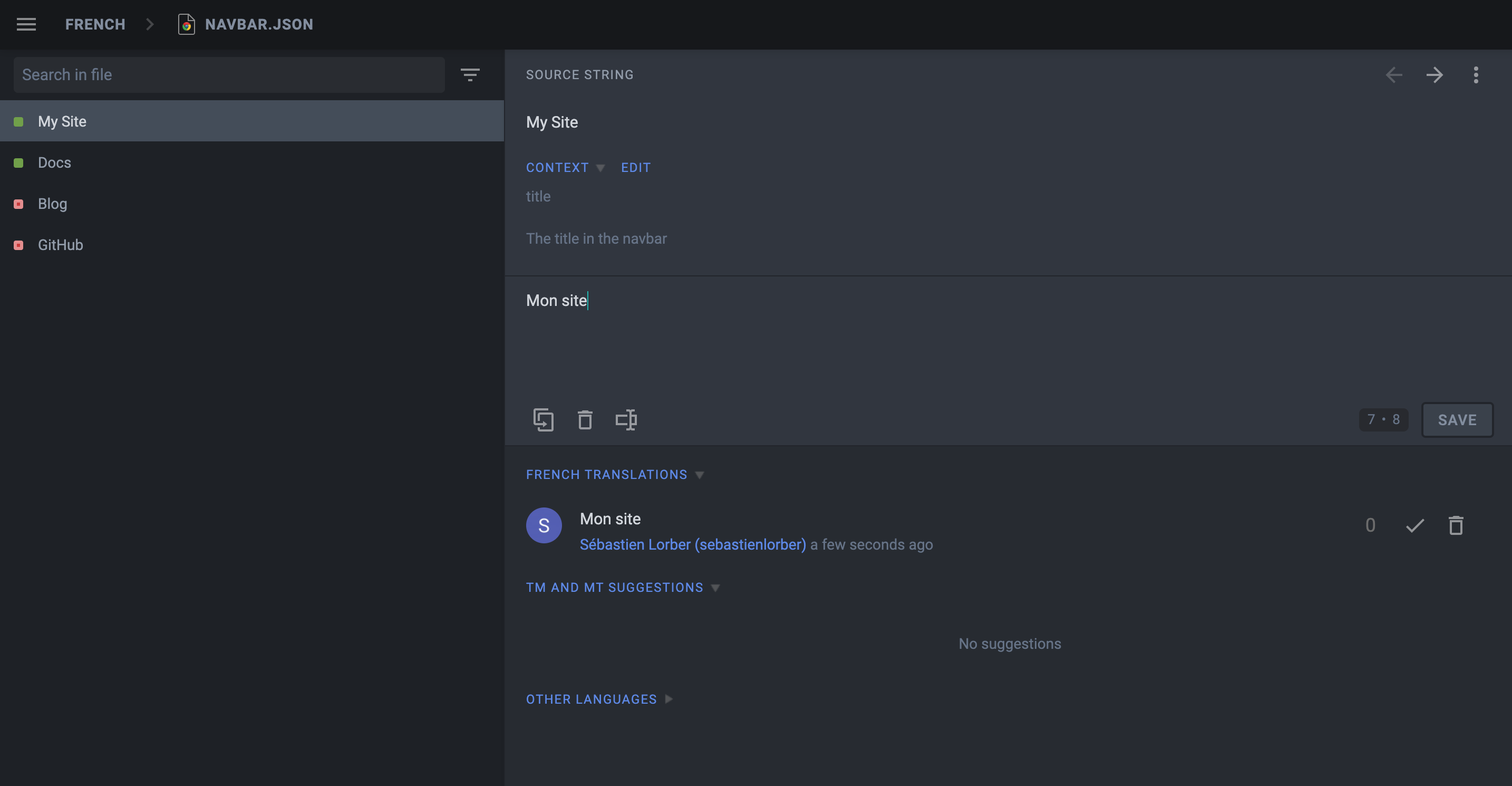
The description attribute of JSON translation files is visible on Crowdin to help translate the strings.
Pre-translate your site, and fix pre-translation mistakes manually (enable the Global Translation Memory in settings first).
Use the Hide String feature first, as Crowdin is pre-translating things too optimistically.
下载译文
用 Crowdin CLI 下载翻译好的 JSON 和 Markdown文件。
- npm
- Yarn
- pnpm
- Bun
npm run crowdin download
yarn crowdin download
pnpm run crowdin download
bun run crowdin download
The translated content should be downloaded in i18n/fr.
使用简体中文启动你的网站:
- npm
- Yarn
- pnpm
- Bun
npm run start -- --locale zh-Hans
yarn run start --locale zh-Hans
pnpm run start --locale zh-Hans
bun run start --locale zh-Hans
Make sure that your website is now translated in French at http://localhost:3000/fr/.
使用持续集成 (CI) 来自动化翻译
We will configure the CI to download the Crowdin translations at build time and keep them outside of Git.
Add website/i18n to .gitignore.
Set the CROWDIN_PERSONAL_TOKEN env variable on your CI.
Create an npm script to sync Crowdin (extract sources, upload sources, download translations):
{
  "scripts": {
    "crowdin:sync": "docusaurus write-translations && crowdin upload && crowdin download"
  }
}
Call the npm run crowdin:sync script in your CI, just before building the Docusaurus site.
Keep your deploy-previews fast: don't download translations, and use npm run build -- --locale en for feature branches.
Crowdin 对多个并行上传/下载的支持不太好:最好只将翻译内容包含到生产部署中,并且在部署预览时不要翻译。
Crowdin 进阶主题
MDX
在 MDX 文档中,要格外关注 JSX 片段!
Crowdin does not support officially MDX, but they added support for the .mdx extension, and interpret such files as Markdown (instead of plain text).
MDX 的问题
Crowdin 会认为 JSX 语法是内嵌的 HTML,所以可能在你下载翻译时把 JSX 标记搞得一团糟,导致网站因无效 JSX 而构建失败。
Simple JSX fragments using simple string props like <Username name="Sebastien"/> will work fine; more complex JSX fragments using object/array props like <User person={{name: "Sebastien"}}/> are more likely to fail due to a syntax that does not look like HTML.
MDX 的解决方案
我们建议把内嵌的复杂 JSX 代码分离成单独的组件。 We also added an mdx-code-block escape hatch syntax:
# How to deploy Docusaurus

To deploy Docusaurus, run the following command:

````mdx-code-block

import Tabs from '@theme/Tabs';

import TabItem from '@theme/TabItem';

<Tabs>
  <TabItem value="bash" label="Bash">

  ```bash
  GIT_USER=<GITHUB_USERNAME> yarn deploy
  ```

  </TabItem>
  <TabItem value="windows" label="Windows">

  ```batch
  cmd /C "set "GIT_USER=<GITHUB_USERNAME>" && yarn deploy"
  ```

  </TabItem>
</Tabs>
````
这会:
- 被 Crowdin 解释为代码块(因此不会在下载时搞出乱子)
- 被 Docusaurus 解释为常规 JSX(就像它没有被任何代码块包裹一样)
- 然而不幸的是,也同时放弃了其他 MDX 工具(IDE 语法高亮、Prettier 等)
文档分版
Configure translation files for the website/versioned_docs folder.
When creating a new version, the source strings will generally be quite similar to the current version (website/docs), and you don't want to translate the new version docs again and again.
Crowdin provides a Duplicate Strings setting.
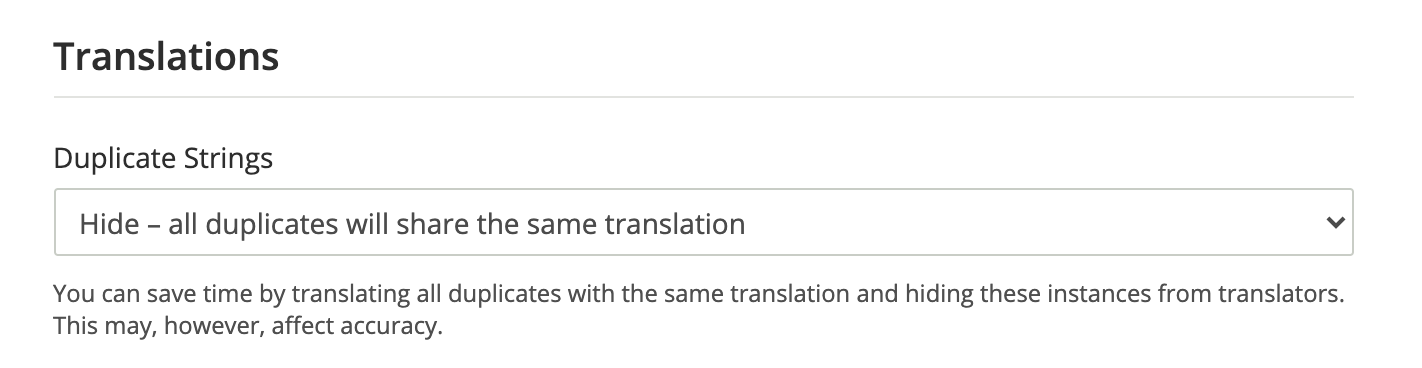
We recommend using Hide, but the ideal setting depends on how much your versions are different.
Not using Hide leads to a much larger amount of source strings in quotas, and will affect the pricing.
多实例插件
你需要为每个插件实例的文件配置翻译。
If you have a docs plugin instance with id=ios, you will need to configure those source files as well
website/ioswebsite/ios_versioned_docs(if versioned)
维护网站
Sometimes, you will remove or rename a source file on Git, and Crowdin will display CLI warnings:
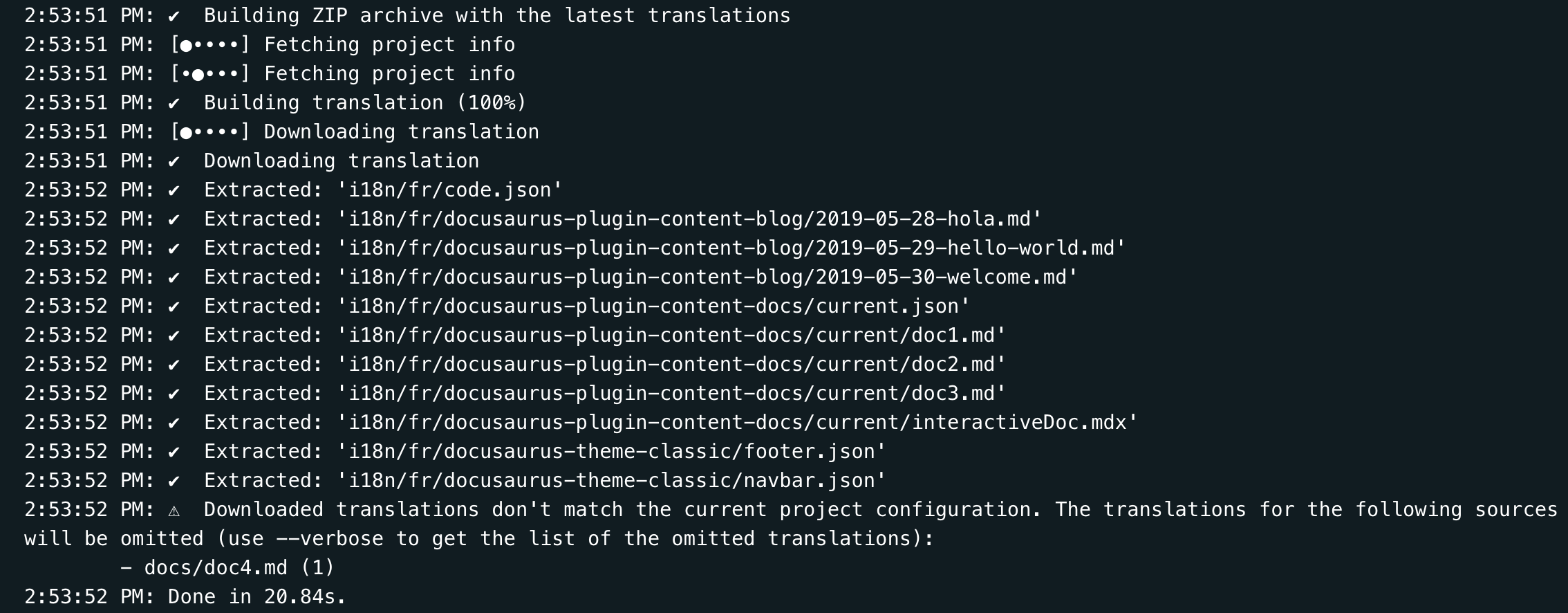
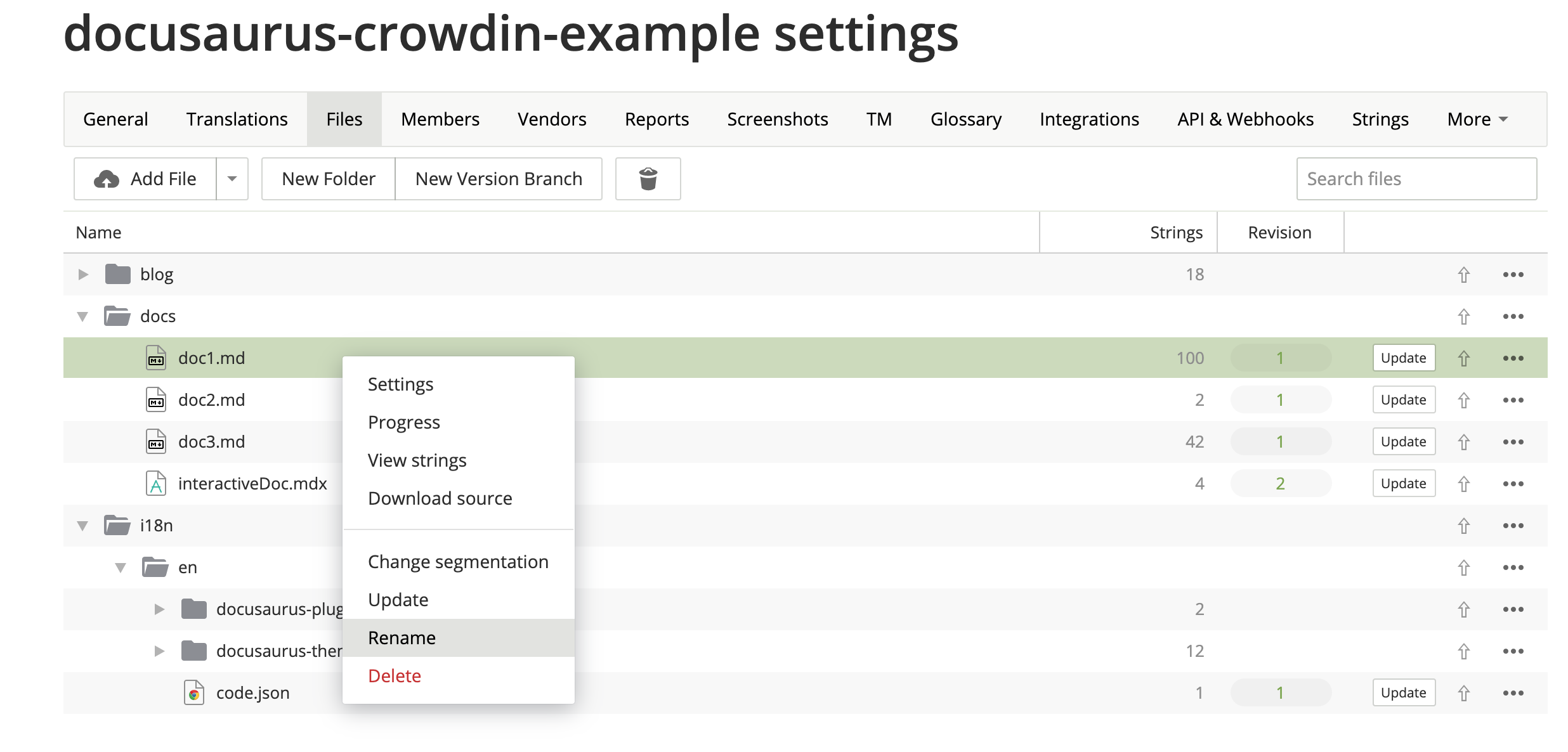
When your sources are refactored, you should use the Crowdin UI to update your Crowdin files manually:
VCS (Git) 集成
Crowdin has multiple VCS integrations for GitHub, GitLab, Bitbucket.
我们不推荐你使用。
It could have been helpful to be able to edit the translations in both Git and Crowdin, and have a bi-directional sync between the 2 systems.
In practice, it didn't work very reliably for a few reasons:
- The Crowdin -> Git sync works fine (with a pull request)
- The Git -> Crowdin sync is manual (you have to press a button)
- Crowdin 无法做到百分百准确地将已有的 Markdown 源文件和它的译文关联起来,所以在从 Git 同步到 Crowdin 后,你需要前往 Crowdin 界面验证结果
- 多名用户同时在 Git 和 Crowdin 编辑可能会造成翻译丢失
- It requires the
crowdin.ymlfile to be at the root of the repository
基于语境的本地化
Crowdin has an In-Context localization feature.
遗憾的是,由于技术原因,此功能还不能使用。但我们很有信心这个问题能被解决。
Crowdin replaces Markdown strings with technical IDs such as crowdin:id12345, but it does so too aggressively, including hidden strings, and messes up with front matter, admonitions, JSX...
本地化编辑链接
When the user is browsing a page at /fr/doc1, the edit button will link by default to the unlocalized doc at website/docs/doc1.md.
You may prefer the edit button to link to the Crowdin interface instead by using the editUrl function to customize the edit URLs on a per-locale basis.
const DefaultLocale = 'en';

export default {
  presets: [
    [
      '@docusaurus/preset-classic',
      {
        docs: {
          editUrl: ({locale, versionDocsDirPath, docPath}) => {
            // Link to Crowdin for French docs
            if (locale !== DefaultLocale) {
              return `https://crowdin.com/project/docusaurus-v2/${locale}`;
            }
            // Link to GitHub for English docs
            return `https://github.com/facebook/docusaurus/edit/main/website/${versionDocsDirPath}/${docPath}`;
          },
        },
        blog: {
          editUrl: ({locale, blogDirPath, blogPath}) => {
            if (locale !== DefaultLocale) {
              return `https://crowdin.com/project/docusaurus-v2/${locale}`;
            }
            return `https://github.com/facebook/docusaurus/edit/main/website/${blogDirPath}/${blogPath}`;
          },
        },
      },
    ],
  ],
};
It is currently not possible to link to a specific file in Crowdin.
示例配置
The Docusaurus configuration file is a good example of using versioning and multi-instance:
project_id: '428890'
api_token_env: CROWDIN_PERSONAL_TOKEN
preserve_hierarchy: true
languages_mapping: &languages_mapping
  two_letters_code:
    pt-BR: pt-BR
mdx_file_type: &mdx_file_type mdx_v2_4
files:
  - source: /website/i18n/en/**/*
    translation: /website/i18n/%two_letters_code%/**/%original_file_name%
    languages_mapping: *languages_mapping
  - source: /website/docs/**/*.mdx
    translation: /website/i18n/%two_letters_code%/docusaurus-plugin-content-docs/current/**/%original_file_name%
    languages_mapping: *languages_mapping
    type: *mdx_file_type
  - source: /website/docs/**/*
    translation: /website/i18n/%two_letters_code%/docusaurus-plugin-content-docs/current/**/%original_file_name%
    languages_mapping: *languages_mapping
    ignore: [/**/*.mdx]
  - source: /website/versioned_docs/**/*.mdx
    translation: /website/i18n/%two_letters_code%/docusaurus-plugin-content-docs/**/%original_file_name%
    languages_mapping: *languages_mapping
    type: *mdx_file_type
  - source: /website/versioned_docs/**/*
    translation: /website/i18n/%two_letters_code%/docusaurus-plugin-content-docs/**/%original_file_name%
    languages_mapping: *languages_mapping
    ignore: [/**/*.mdx]
  - source: /website/community/**/*
    translation: /website/i18n/%two_letters_code%/docusaurus-plugin-content-docs-community/current/**/%original_file_name%
    languages_mapping: *languages_mapping
  - source: /website/blog/**/*
    translation: /website/i18n/%two_letters_code%/docusaurus-plugin-content-blog/**/%original_file_name%
    languages_mapping: *languages_mapping
  - source: /website/src/pages/**/*
    translation: /website/i18n/%two_letters_code%/docusaurus-plugin-content-pages/**/%original_file_name%
    ignore: [/**/*.js, /**/*.jsx, /**/*.ts, /**/*.tsx, /**/*.css]
    languages_mapping: *languages_mapping
机器翻译(MT) 问题:链接/图像处理
Crowdin 最近推出了一些对Markdown 文件格式的重大修改,现在链接的处理方式与以前不同。以前被视为标签,但现在将其作为纯文本出现。 Because of these changes the plain text links are passed to the MT engine which attempts to translate the target, thus breaking the translation (for instance: this string Allez voir [ma merveilleuse page](/ma-merveilleuse-page) is translated Check out [my wonderful page](/my-wonderful-page), and this breaks docusaurus i18n workflow as the page name should not be translated).
截至2023年12月7日,官方暂无计划调整链接处理逻辑。若你计划在Crowdin中使用机器翻译,请务必注意此问题。